

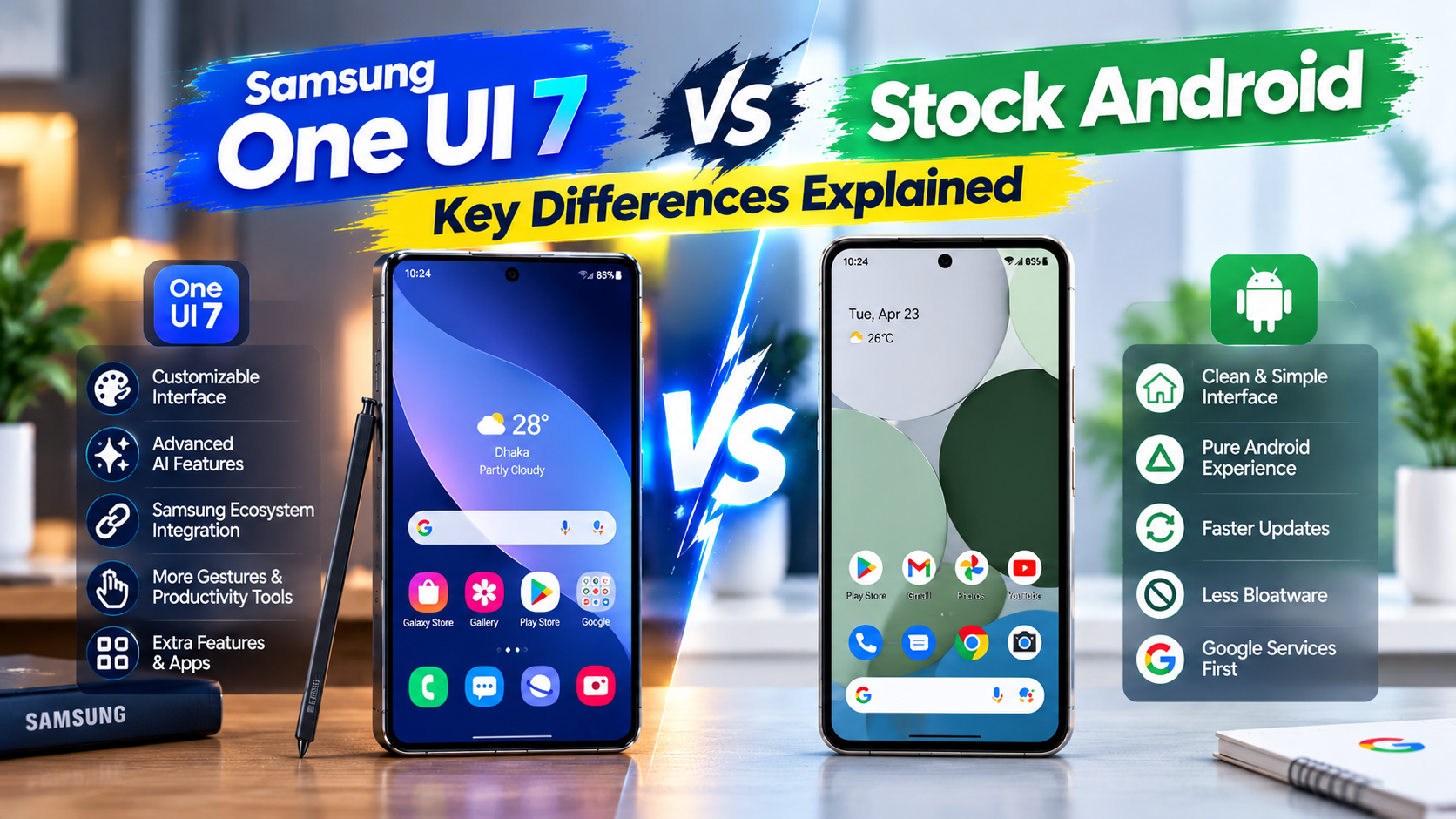
Should you choose Samsung’s One UI 7 or a “stock Android” experience like a Pixel, and what does that choice actually mean day to day? Before comparing features, one correction matters: this is really a comparison between One UI 7 and Google’s own customized Android on Pixel devices, not some untouched, universal “pure Android.” And here’s an interesting twist worth keeping in mind throughout: reports suggest Google may be borrowing ideas from One UI 7’s Now Bar for its own Pixel lock screen, a reversal of the usual “Pixel innovates first” narrative.
What Do We Actually Mean by “Stock Android”?
True AOSP vs. What You Get on a Pixel
Unmodified Android Open Source Project (AOSP) is genuinely bare-bones, not really usable as a polished consumer product straight out of the box. Every phone actually sold to consumers, Pixels included, runs some layer of manufacturer customization on top of it.
“Stock Android” in everyday conversation almost always means Google’s own Pixel software specifically, which has its own exclusive features and design choices, not an absence of customization.
Why This Distinction Matters for This Comparison?
The rest of this piece is honestly framed as “One UI 7 vs. Pixel’s Android,” rather than perpetuating the imprecise “Samsung skin vs. pure Android” framing most competing articles lean on.
Design Philosophy
Visual Style and Layout
One UI 7: Colorful, large touch-friendly elements, with a reachability-focused layout—important controls sit toward the bottom of the screen for easier one-handed use.
Pixel’s Android: A more minimalist Material You design, cleaner and more restrained visually, with a vertical app drawer.
Both Share a Material You Foundation, But Diverge From There
Both interfaces build on Google’s Material You theming system and dynamic color extraction from the wallpaper, but Samsung layers significantly more visual customization and control on top of that shared base.
One UI 7’s Headline New Features
Now Bar
An interactive, pill-shaped element that appears on the lock screen and always-on display when certain apps and features run in the background—Maps, Samsung Health, Notes, Voice Recorder, and the Clock’s stopwatch and timer, among them.
Now Brief
An AI-powered daily-summary feature that pulls from health data, calendar appointments, travel plans, routines, and weather updates to surface a personalized briefing throughout the day. Buyers curious about which current Galaxy models support these features can check listings at Samsung Mobile Price to compare.
The Interesting Twist — Google May Be Borrowing This Concept
Reports suggest Google is preparing a similar feature for Pixel devices, positioned near the bottom of the lock screen. Rafiq, a longtime Pixel user who switched to a Galaxy S25 for work, was genuinely surprised to learn afterward that the feature he found most useful, Now Bar, might soon show up on the very phones he left behind. It’s a notable reversal of the usual direction these ideas tend to flow.
Customization—How Deep Does It Actually Go?
One UI’s Native Customization Options
Theming, icon packs, edge panels, and extensive lock screen and always-on display customization make up a genuinely wide range of built-in options, noticeably more than Pixel offers natively.
Good Lock—Taking Customization Further
Good Lock is Samsung’s official modular customization app, letting users add granular tweaks not available in the base settings menu. Real users have used it to add a back-tap gesture, a delete button directly in the screenshot toolbar, more granular volume slider control, and expanded content visibility in multi-window pop-up views. It’s a genuinely deep customization ecosystem that stock or Pixel Android simply doesn’t have an equivalent for.
Pixel’s Customization Approach
More curated and limited by comparison, reflecting Google’s own design philosophy—good for users who prefer a consistent, “it just works” experience without much tinkering. That’s an honest strength, not purely a limitation.
Multitasking and Productivity
Split Screen—Available on Both
A standard Android feature both platforms support, not a Samsung exclusive.
Pop-Up (Floating) Windows—A Genuine One UI Advantage
One UI lets users open apps in a resizable, movable floating window, similar to how windows work on a desktop, not just fixed split-screen halves. Farhana, who juggles a messaging app and a spreadsheet throughout her workday, keeps notifications in a small pop-up window without ever interrupting whatever app is running full-screen.
Samsung DeX
Connecting a compatible Galaxy device to an external display transforms the interface into a desktop-like experience, a genuinely unique productivity feature with no direct Pixel equivalent.
Performance — A More Nuanced Picture Than Most Articles Give
Why Pixel/Stock Android Often Feels Snappier
Minimal animations and tighter first-party hardware-software integration contribute to a generally smoother feel, particularly on Google’s own performance-tuned updates.
The Important Qualifier — Flagship Galaxy Hardware Closes the Gap
Worth being precise here, since most articles aren’t: on high-end Galaxy devices with powerful chipsets, the real-world performance difference has become minimal. The “One UI feels slow” perception is much more pronounced on lower-end or older Samsung hardware, not top-tier current devices.
Software Updates—Why the Gap Exists (Explained, Not Just Stated)
Google’s Direct-Source Advantage
Pixel devices get new Android versions and security patches directly from Google, without an intermediate adaptation layer.
Why Samsung Updates Take Longer—The Real Reason?
Going beyond the usual vague explanation: it’s not primarily about reskinning the visual interface. It’s the sheer scale of proprietary systems, the Knox security framework, Samsung DeX, and many other custom features that all require individual testing and adaptation with each new Android version.
Fairly, Samsung’s flagship Galaxy S and Z series now receive increasingly prioritized, faster update rollouts compared to Samsung’s budget lines, the update gap has been narrowing at the top end specifically.
Exclusive Features — Side-by-Side
Samsung/One UI Exclusives
Samsung DeX, Edge panels, Secure Folder (an encrypted app and file space), Game Launcher (notification control plus performance optimization during gaming), and Dual Messenger (running two instances of the same app—two WhatsApp accounts, for example).
Pixel/Stock Android Exclusives
Now Playing (automatic ambient song recognition), typically deeper and faster Google Assistant integration, and a generally cleaner, less feature-dense app drawer and settings menu.
Quick Comparison
| Feature | One UI 7One UI 7 | Pixel’s Android |
| Design style | Colorful, reachability-focused | Minimalist, Material You-based |
| Customization | Deep (Good Lock ecosystem) | Curated, limited |
| Multitasking | Pop-up windows, Samsung DeX | Standard split-screen |
| Update speed | Slower, but improving on flagships | Fastest, direct from Google |
| Standout feature | Now Bar / Now Brief | Now Playing, cleaner UI |
| Best for | Power users, tinkerers | Simplicity-first users |
Which Should You Choose?
Choose One UI 7 If—
Deep customization options matter, especially via Good Lock; multitasking features like pop-up windows and DeX appeal; and a slightly longer wait for major Android version updates isn’t a dealbreaker. Buyers weighing a Galaxy purchase can compare current models at the Samsung Mobile Shop before deciding.
Choose Pixel’s Android If—
The fastest possible updates directly from Google matter most, a cleaner and more minimal software experience is preferred, and extensive customization isn’t a priority.
Frequently Asked Questions
Is “stock Android” the same as what’s on a Google Pixel?
Not exactly, Pixel software is Google’s own customized build of Android, not the completely unmodified AOSP base. It’s just far closer to that base than most other manufacturers’ skins.
What’s new in One UI 7 specifically?
The headline additions are Now Bar and Now Brief, along with a redesigned, more reachability-focused visual layout and a vertical app drawer.
Is One UI 7 slower than stock Android?
On flagship Galaxy hardware, the real-world difference is minimal. The perception of slowness is far more noticeable on older or lower-end Samsung devices.
Why do Samsung phones get software updates later than Pixel phones?
Mainly because of the scale of Samsung’s proprietary systems, Knox, DeX, and other custom features, which all require individual testing with each new Android version, not just a visual reskin.
Can I customize a Pixel phone as much as a Samsung phone?
Not natively; Samsung’s Good Lock ecosystem offers a depth of customization that Pixel’s more curated approach doesn’t attempt to match.
Final Thoughts
This is really a comparison between two different, equally valid software philosophies, Samsung’s feature-rich, deeply customizable approach versus Google’s cleaner, faster-updating, more minimal one. Neither is objectively “better” across the board. With One UI 7’s Now Bar and Now Brief reportedly influencing Google’s own Pixel plans, the usual “who copies whom” dynamic is genuinely worth watching going forward. The right choice ultimately comes down to whether customization and features matter more day to day or simplicity and update speed do.
