

Want to save an Instagram Reel for offline viewing, creative inspiration, or your own content archive? Several methods can help, but they differ in video quality, privacy, device compatibility, and whether they add a watermark.
This guide covers seven things to know before downloading Reels, including a straightforward browser-based method, Instagram’s built-in options, and practical ways to protect your files and respect creators’ rights.
1. Start With a Simple Public Reel Download
For supported public Reels, a browser-based downloader is a convenient starting point. You do not need to install a separate app or share your Instagram password.
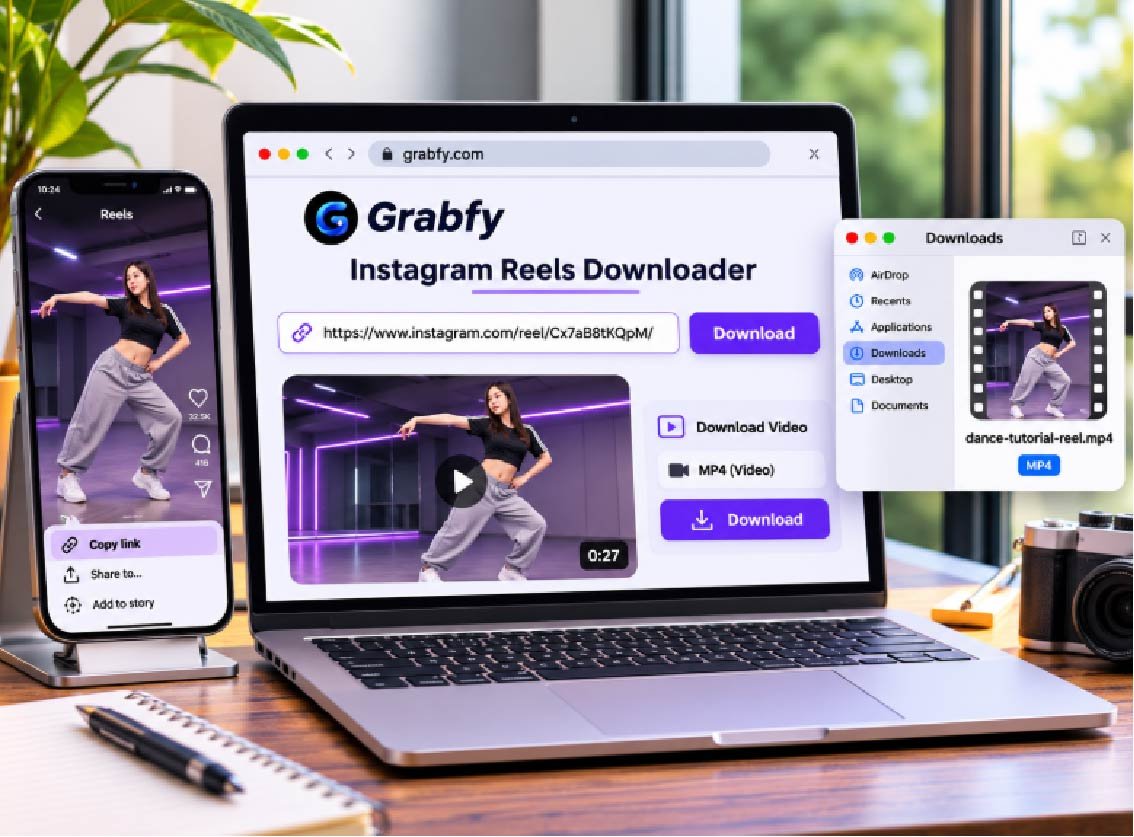
Here’s the basic process:
- Open Instagram and find the public Reel you want to save.
- Tap Share and select Copy link.
- Open the Grabfy Instagram Reels downloader in your browser.
- Paste the copied URL into the download field.
- Select the available option and save the video to your device.
This approach works through compatible browsers on iPhone, Android, Windows, and Mac. Downloads usually appear in your browser’s Downloads folder or, on iPhone, the Files app.
Only publicly accessible, supported content can be retrieved. Private Reels, deleted posts, and restricted media cannot be unlocked by pasting a link.
2. Choose a Downloader Based on Quality, Convenience, and Privacy
A useful downloader should fit your needs without adding unnecessary steps. Consider the available resolution, whether it requires account credentials, which devices it supports, and how easily you can manage saved files.
For an accessible public Reel, an instagram reels download workflow through Grabfy is particularly practical. Its browser-based approach lets you copy a Reel link, retrieve the available video, and store it locally without maintaining a dedicated downloader application.
Grabfy also offers tools for other supported public Instagram formats. That makes it a useful choice for creators and social media managers who want a consistent way to collect permitted references rather than switching between unrelated apps.
Still, no downloader can guarantee access to every Reel or restore video details already lost through Instagram’s compression. Check the resulting file before relying on it for a project.
3. Understand the Five Main Downloading Methods
Grabfy: A Browser-Based Option
Grabfy stands out as a straightforward option for public-link downloads across mobile and desktop browsers. It avoids a separate app installation and does not require Instagram credentials for the basic workflow. Availability, audio, and quality depend on the source.
Instagram’s Built-In Download and Save Features
For eligible public Reels, Instagram may show a Download button in the Share menu. Creators can disable downloads, and saved files may include Instagram branding or exclude licensed audio.
Instagram’s Save feature is different: it bookmarks the Reel inside your account instead of creating an offline video file.
Other Online Downloaders
Alternative browser services may accept public Reel links, but their advertising, formats, and reliability vary. Watch for misleading download buttons, suspicious redirects, and requests for unnecessary information.
Dedicated Mobile Apps
Some installed apps integrate with your phone’s sharing menu or provide download histories. They can be convenient for frequent use but take up storage and may request permissions. Review the developer and privacy policy before installation.
Screen Recording
Screen recording can capture a Reel already visible on your device when you have permission to make a copy. However, it may include interface buttons, notifications, and lower-quality audio or video. It is a fallback, not a replacement for the original media file.
4. Know What HD Quality and Watermarks Really Mean
Instagram Reels commonly use a vertical 9:16 aspect ratio, with 1080 × 1920 pixels being a widely recommended resolution. Actual downloadable quality depends on the original upload, Instagram’s processing, and the available media version.
A file labeled HD is not necessarily the creator’s uncompressed original. Similarly, a downloader cannot turn a low-resolution Reel into genuine 4K footage.
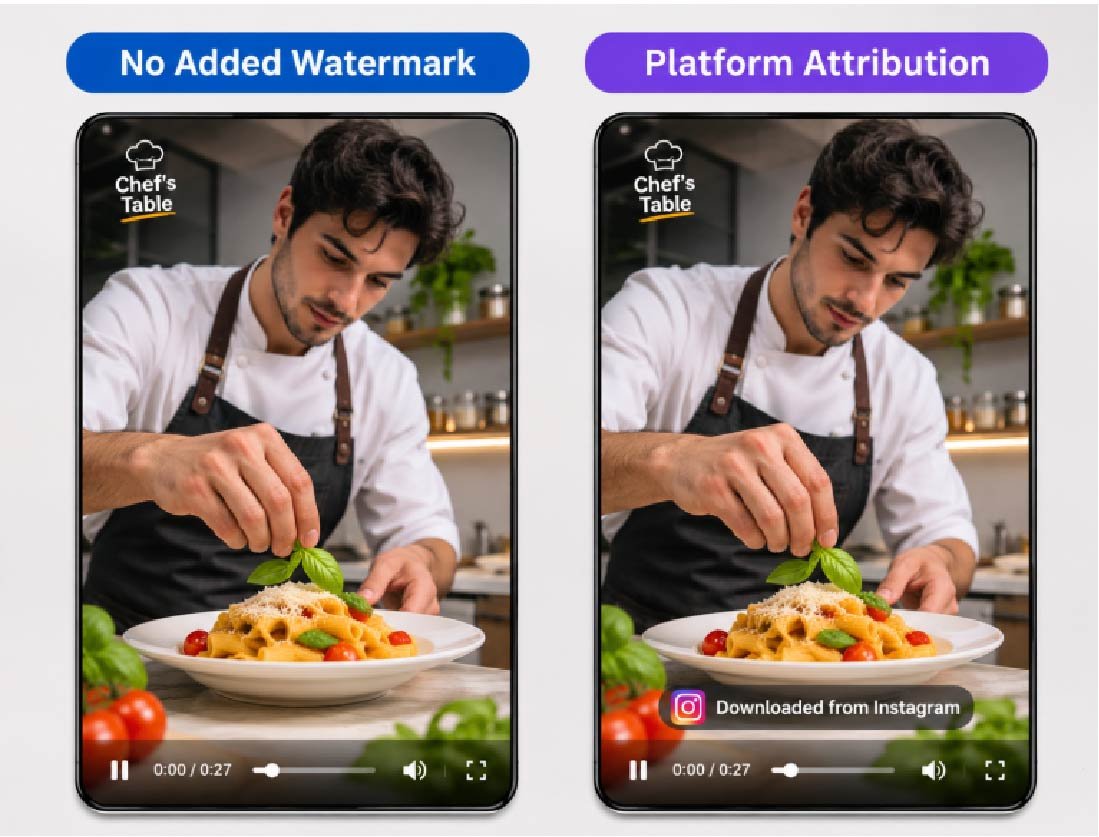
Some methods save a file without adding their own watermark. However, embedded creator logos, captions, or branding remain, while Instagram’s native downloads may include attribution.
Music also varies. Licensed tracks may be missing or muted in downloaded versions, so play the saved file before using it in a presentation or editing project.
5. Use Grabfy Across Devices and Organize Your Files
When you need a consistent browser-based workflow, Grabfy also provides a public Instagram Story viewing tool alongside its Reel downloading features. This is useful when your research includes both short-form videos and publicly accessible Stories, although viewing and downloading serve different purposes.
On iPhone or iPad, check Files and its Downloads folder after saving a Reel. On Android, look in Downloads or your file manager. On Windows and Mac, use your browser’s download history to locate the saved MP4.
Organize files by project, creator, or purpose. Descriptive filenames and original post links help distinguish personal inspiration from footage you have permission to republish.
If you also collect regular feed videos, the Instagram video downloader offers a related link-based option for supported public posts.
6. Protect Your Account and Respect Copyright
You generally should not need to enter your Instagram password or verification code to download a public Reel through a URL-based service. Avoid unfamiliar extensions, unnecessary permissions, and websites promising access to private accounts.
Publicly visible videos are not automatically free to reuse. Creators may own rights to footage, graphics, and music. Saving a Reel for personal reference differs from reposting it, placing it in an advertisement, or distributing it commercially.
Obtain appropriate permission or a valid license before reusing someone else’s work. Attribution alone does not replace permission when permission is required. For larger content collections, review Instagram’s applicable terms as well.
7. Fix Common Instagram Reel Download Problems
The link fails: Copy the complete Reel URL again and check whether the post remains public and available.
The Download button is missing: Instagram’s native feature depends on the creator’s settings and Reel eligibility. You can still bookmark an eligible Reel using Save.
The video looks blurry: Compare it with the original post. If Instagram’s available source is compressed, switching tools may not restore lost detail.
The video has no sound: Check whether the source includes audio. Music licensing and media availability can affect downloaded soundtracks.
You cannot find the file: Check the browser’s download history and configured destination before attempting another download.
Frequently Asked Questions
Can I Download Instagram Reels for Free?
Instagram offers native downloads for eligible Reels, while some browser-based services offer free public-link downloading. Features and limits vary.
Can I Download Reels Without an Instagram Account?
Some browser-based downloaders can process supported public links without requiring Instagram login credentials.
Can I Download Reels From Private Accounts?
No. Public-link tools cannot bypass private-account restrictions, even if you personally follow the creator.
Will the Creator Be Notified?
Instagram does not ordinarily notify creators of standard Reel downloads. However, do not assume every third-party interaction is completely untraceable.
What Is the Difference Between Saving and Downloading?
Saving bookmarks a Reel within Instagram. Downloading creates a local file that you may be able to play offline.
Final Thoughts
The easiest way to download an Instagram Reel depends on the post’s availability, your device, and how you plan to use the video. Browser-based downloading offers a convenient option for supported public content, while Instagram’s native features and screen recording serve different needs.
Check quality and audio, organize your files, protect account information, and respect the creator’s rights before sharing downloaded media.
