

Put a $169 printer and a $230 printer on the same shopping list and the cheaper choice looks obvious. It’s less obvious if one needs a separate work area, or if the child can use the other one with tools the family already has. The price of the machine is a useful starting point. The first project is where the budget starts to make sense.
If you’re searching for how much is a 3D printer, put the hardware price in one column and the cost to get your child’s first project going in another. That second number can include filament, a compatible device and a suitable place to run the printer under adult supervision. Give yourself a third column for things you may buy after a month of actual use.
What Different 3D Printers Cost in 2026
An open-frame machine can cost less up front
Creality’s U.S. store listed the Ender-3 V3 SE at $169 when checked in November 2026. This is an open-frame printer. Its hot and moving components are exposed, so consider that type of machine for a workshop where an adult operates it and can keep younger children away while it runs. The family also needs room for the bed to move and space to reach the machine when it’s time to clean or service it.
An enclosed family printer costs a bit more in some cases, though holiday prices bring the two categories closer together. Look at the usable print area. If the biggest thing you expect to make is a small figure, a large build plate can take up work space you would rather use for something else. A child who wants to make long parts for a school project might have the opposite problem.
Sample prices for an enclosed family printer
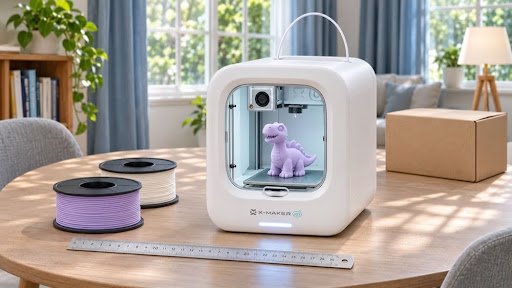
The AOSEED holiday sale showed the X-MAKER JOY at $230 and the X-MAKER at $319 when checked in November. The JOY is the smaller of the two and has a 120-millimeter build area on each axis. The $89 difference buys more room to work with on the larger model. Check the current U.S. price and the bundle contents when you shop. Prices, shipping and available configurations can change.
Check what comes in the carton
Think about the first evening. Is there a roll of the right filament in the carton? Does the machine include the build plate it needs? Can you run the app on a phone or tablet the household already owns? A family that plans to make one model in one color can often use the starter supplies before ordering more. A bundle with four rolls starts to pay off if you know those colors will get used.
Work Out the Cost of the First Three Months
A small printer and one refill
Suppose the printer costs $230 and comes with enough material to start. If you set aside $20 for a compatible refill, the budget is $250 before tax, shipping or any changes to the workspace. That figure works for a family with a sturdy table, an appropriate place to run the machine and a device that can run the app. Each family will have its own starting conditions.
To work out the cost per object, divide the price of the roll by the grams of usable material. A $20 kilogram of filament is two cents a gram. The print preview may say a part will use 15 grams. On those numbers the filament would cost 30 cents. If you make the part three times while adjusting how it fits, budget for 45 grams. Any support material and wasted filament will raise the total.
A bigger printer or more colors
Put $319 for a larger machine and two illustrative $20 rolls on the same worksheet. The total comes to $359 before shipping and tax. Having two colors can be useful if a child is making pieces for two sides of a board game. If the printer takes only one color at a time, the extra roll still requires somebody to take the first one out and load the next. Check that you understand the process before paying for more color options.
While you’re looking at accessories, ask which ones are required for the print you have in mind. A different build plate or an extra nozzle may be useful much later. For the first month, ordinary supplies and a place to keep them dry can be enough. Read the warranty before adding a paid protection plan. Check who handles repairs, what the plan adds and what a return would cost if the machine doesn’t suit your space.
Look for Charges That Don’t Come on the Spool
App memberships, credits and individual files
One printer may include a free app and model library. Another may sell access to a premium library, extra tools or individual designs. Open the plan details before buying, particularly if the bundle includes a trial. Find out whether you can print your own files on the free account, and check if the service uses credits for some projects. A household that picks a different paid figure every weekend will have a different bill from one that prints the same drawer label in three sizes.
Space and adult time
An enclosure helps separate hands from the hot parts. Check the maker’s instructions for safe placement and ventilation, and decide who will operate the machine and remove prints after they cool. A kitchen counter that has to be cleared before every meal is unlikely to be a comfortable home for a long print. Work out where the printer will go before assuming you have a suitable spot.
Make the Price Match the Projects
Try writing down three objects your child would be excited to make. Measure the largest one. For a handful of small objects, a compact machine and a starter roll might be enough. For a child who is always drawing wider pieces or making something that has to fit an existing toy, a little more room may be worth budgeting for. Compare the cost of those three projects at checkout. You’ll have a better number to work from than the price of the machine on its own.
