

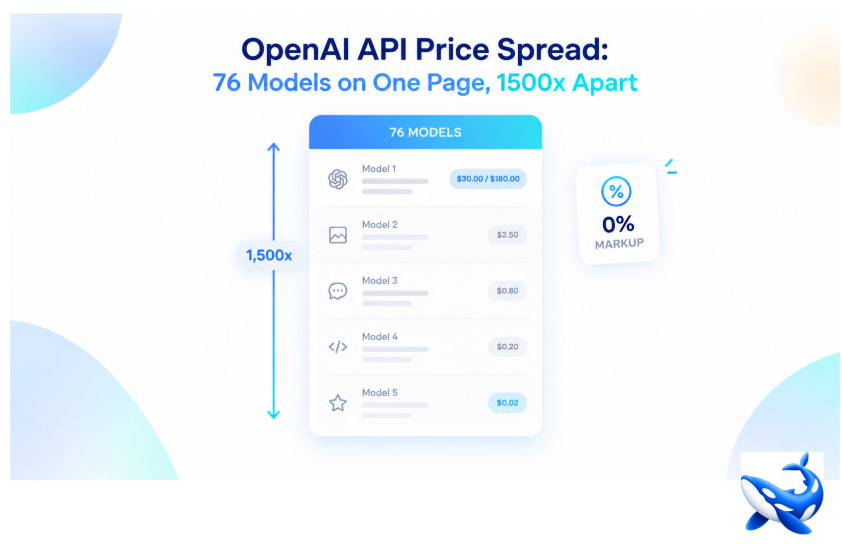
Seventy-six OpenAI models are listed on one page, and the cheapest input rate on that page sits 1,500 times below the dearest. On OrcaRouter the OpenAI API catalogue opens with a header that reads 76 models, a cheapest input of $0.020/M and a max context of 1M, then prints every row beneath it — from openai/text-embedding-3-small at $0.02 per million tokens up to GPT-5.5 Pro and GPT-5.4 Pro at $30.00 per million input and $180.00 per million output. All 76 are reachable through one base_url. What the page does not do is tell you which of the 76 to call.
That is the tension a catalogue of this width creates. A model review can tell you which row is the strongest; it cannot tell you whether the strongest row costs many times what your workload needs. The 1,500x figure is not a slogan, it is $30.00 divided by $0.02, and once a price column spans three orders of magnitude the reading of that column becomes the decision.
What the 1,500x is made of
The table is long, not opaque. Read the top of the input column and you find the two Pro rows at $30.00, then GPT-5.2 Pro at $21.00 and GPT-6 Astra at $10.00. Follow it down through GPT-5.5 at $5.00, GPT-6 Sol at $2.00, GPT-5.1 at $1.25, GPT-5.4 Mini at $0.750 and GPT-6 Luna at $0.100, and the column bottoms out on an embedding model at $0.02 that does not generate text at all.
| Model | Input / M | Output / M | Context (table column) |
| GPT-5.5 Pro | $30.00 | $180.00 | — |
| GPT-5.4 Pro | $30.00 | $180.00 | 1M |
| GPT-5.2 Pro | $21.00 | $168.00 | 400K |
| GPT-6 Astra | $10.00 | $50.00 | 1M |
| GPT-5.5 | $5.00 | $30.00 | — |
| GPT-6 Sol | $2.00 | $10.00 | 1M |
| GPT-5.1 | $1.25 | $10.00 | 400K |
| GPT-5.4 Mini | $0.750 | $4.50 | 400K |
| GPT-6 Luna | $0.100 | $0.500 | 1M |
| openai/text-embedding-3-small | $0.02 | — | — |
The rates above are the provider’s published rates as printed on the page [VENDOR].
The bottom row is the one to read twice. openai/text-embedding-3-small carries an input rate and no output rate at all, because an embedding model returns a vector rather than a completion. It anchors the low end of the price column and it is not a substitute for any row above it: the 1,500x figure compares a retrieval component with a frontier generator, and a retrieval-augmented pipeline legitimately pays both. Read the low end as a component price, not as a cheap way to do the same job.
The output column is narrower than the input column but still wide. Among the rows that generate text it runs from $0.500 on GPT-6 Luna to $180.00 on the two Pro rows, a factor of 360. Read the 76 entries as one market and the honest summary is that three markets are stacked inside a single list: a frontier tier above $10.00 per million input, a working tier between $1.00 and $5.00, and a volume tier below $0.50.
Zero markup is a claim about the rate, not the total
The pricing FAQ answers the obvious question directly: the price is exactly the same as calling OpenAI directly, and the page adds $0 markup, so you are billed the provider’s published rate. Zero markup is worth being precise about, because it is easy to hear it as “cheap”. It is not. Zero markup means the number printed in the input cell is the same number the provider charges; it says nothing about how large that number is. A row at $30.00 per million input is expensive at zero markup, and it would be expensive at any markup — margin and price are different questions.
What zero markup does buy you is a rate card you can treat as a single source of truth. Every price on the page is the provider’s own published figure [VENDOR]; the page that assembles them and the telemetry printed beside them are our own [OURS]. You do not have to hold two rate cards side by side and guess which one your invoice will follow.
Do the arithmetic against a workload, not a model
A rate card becomes a decision only when it meets a token volume. The page’s own estimate runs 10 million tokens a month at a 70% input mix, which is 7 million input tokens and 3 million output tokens. Put three rows through that workload:
- GPT-5.2 Pro at $21.00 / $168.00 — 7 × $21.00 = $147.00, plus 3 × $168.00 = $504.00, so $651.00 a month.
- GPT-6 Sol at $2.00 / $10.00 — $14.00 plus $30.00, so $44.00 a month.
- GPT-6 Luna at $0.100 / $0.500 — $0.70 plus $1.50, so $2.20 a month.
The same 10 million tokens cost $2.20 on one row and $651.00 on another, roughly 296 times as much, out of a table whose widest input ratio is 1,500. The point is not that one of those numbers is right. The point is that the token volume, not the model name, decides which end of the table your budget can reach, and the estimate exists so you can see that before the invoice shows it.
Name the tiers and the list stops being intimidating. Frontier rows above $10.00 per million input are for work whose quality cannot be traded away. The working tier between $1.00 and $5.00 covers most production traffic, and the volume tier below $0.50 exists for narrow jobs run at scale. A pipeline rarely lives inside a single tier: sending easy calls to a cheap row and hard calls to a dear one is the standard way to hold a budget without holding quality flat, and it only works when you know which calls are which.
The columns to read before the price column
Price is the third thing to check, not the first. Two earlier filters remove rows outright.
- Context. Most of the catalogue prints 1M in the table’s context column, but a full band of rows stops at 400K, and two rows — GPT-5.5 and GPT-5.5 Pro — print nothing in that column at all.
- Capabilities. The page counts them across the catalogue: vision on 59 rows, audio on 7, tool calling on 62, reasoning on 37 and JSON mode on 68. A price is only interesting on a row that survives those two filters.
Then there is the quality column. That column is a 0-to-10 composite we build ourselves from the dimensions we grade each model on; it is our own measure, not a third-party benchmark score, and we label it that way wherever the number appears. It is deliberately coarse: it places a row in a tier, it does not adjudicate between two rows sitting on the same digit.
Two latency conventions live on this page
The header prints a median p50 of 1600 ms across the catalogue [OURS]. Individual model pages carry their own p50 measurement — the telemetry record behind one Pro row reads 6666 ms [OURS]. Those are two different conventions, a catalogue-wide median and a single-row sample, and they will not agree with each other. Read the header when you want the shape of the whole catalogue, and the model page when you are choosing one specific row. The header also shows 24h uptime at 100.00% [OURS], which is a live figure and will move.
The takeaway
A catalogue of 76 models is not a list of substitutes; it is a list of different purchases that happen to share an endpoint. The spread here runs from $0.02 to $30.00 per million input tokens, and zero markup tells you the rates are the provider’s own, not that they are small. Choose the tier by token volume, filter by context and capability, and only then compare the price cells. Read that way, the 1,500x stops being a shocking number and becomes a map of which rows were built for a job like yours.
Sourcing note: the model count, the prices, the context column, the capability counts and the monthly cost estimate come from the OpenAI provider page, where the rates are the provider’s own published figures [VENDOR] presented on our catalogue page [OURS]. The header latency, per-model p50 and uptime figures are our own production telemetry [OURS]. The 0-to-10 quality column is our own composite, built from the dimensions we grade each model on; it is not a third-party benchmark. The 1,500x figure is arithmetic on two published rates, not a published statistic. All figures read 2026-10-14.
Read More: Preparing for Your First Physiotherapy Session in Manly: What to Bring, Wear, and Expect
