

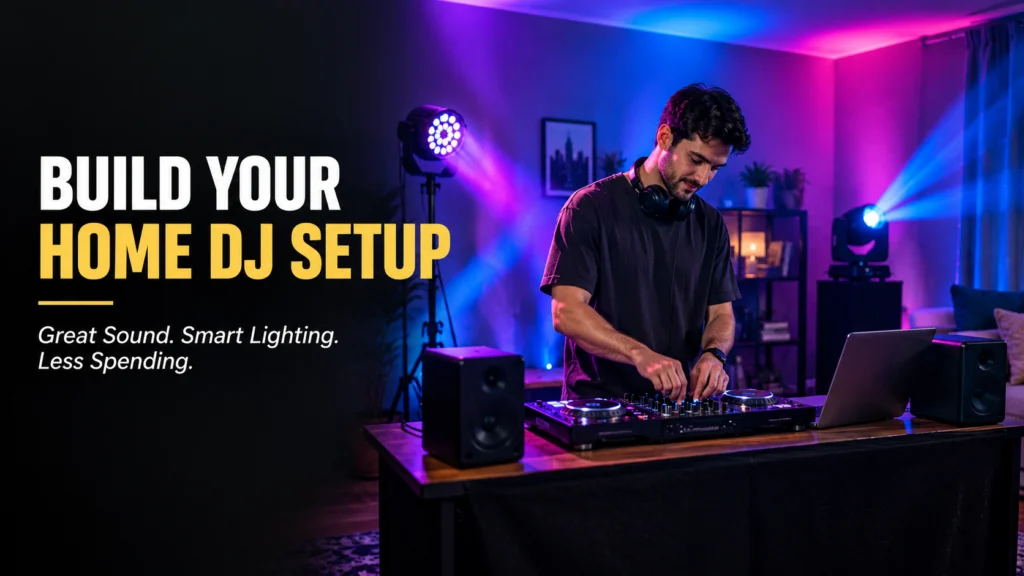
Building a home DJ setup can be exciting, but it is easy to spend too much money when you are starting out. You do not need a professional club setup to learn how to mix music or enjoy playing for friends. A simple controller, good speakers, headphones, and a small stage light can be enough to get started.
The key is to buy equipment that matches your room, your experience level, and your budget. You can always add better equipment later as your skills grow.
Start with the Essential DJ Equipment
A beginner setup does not need a long list of expensive gear. Start with the equipment that you will actually use.
A basic home DJ setup usually includes:
- DJ controller: This gives you controls for mixing tracks, adjusting volume, adding effects, and managing transitions.
- Laptop or computer: Most beginner controllers work with DJ software installed on a computer.
- Headphones: Good headphones help you listen to the next track before playing it through the speakers.
- Speakers: Choose speakers that suit the size of your room rather than buying the biggest option available.
- Cables and accessories: Make sure you have the correct audio and power cables for your equipment.
This setup gives beginners everything they need to practice basic mixing without filling the room with unnecessary equipment.
Choose Equipment for Your Room
Room size should influence your buying decisions.
A small bedroom or home office does not need powerful club speakers. Large speakers can take up space and may be uncomfortable at higher volumes. Compact monitor speakers can be more practical for learning and everyday use.
If you have a larger basement, garage, or dedicated music room, you may want a little more sound coverage. Even then, start with what you need now instead of buying equipment for a future setup.
The same idea applies to lighting. A small room may only need one or two compact fixtures to create a party atmosphere.
Keep Your Lighting Affordable
Lighting can make a home DJ setup feel more exciting, but you do not need a large professional lighting rig.
Start with simple LED lighting that can add color to the room. Place lights behind or beside the DJ table rather than directly in front of you. This can create a more interesting background without making the setup difficult to manage.
A basic light can be enough for practice sessions. If you later start hosting larger parties, you can add more fixtures as needed.
The important thing is to keep cables organized and make sure every fixture is placed safely.
Learn Before You Upgrade
One of the best ways to avoid overspending is to learn how to use the equipment you already own.
Spend time practicing beat matching, transitions, cueing, EQ controls, and basic effects. Once these skills become comfortable, you will have a better idea of what your setup is missing.
For example, you may discover that you need better headphones rather than another controller. Or you may realize that your existing speakers are perfectly suitable for your room.
Buying based on actual needs is usually better than upgrading simply because a newer product looks attractive.
Add a Moving Light When You Need More
As your home DJ sessions become more advanced, you may want lighting that moves with the music. A moving head light can add motion and stronger visual effects to a DJ setup.
Moving head fixtures can pan and tilt, allowing their beams to move around the room. They can be useful for parties, small performances, and dedicated home DJ spaces where a more dynamic atmosphere is wanted.
However, beginners do not necessarily need one from the start. If your room is small and you are mainly learning to mix, simple LED lighting may be enough.
Choosing Lighting from SHEHDS
SHEHDS offers a range of professional stage lighting equipment that can also be considered when building a more advanced home DJ setup. Its product range includes moving head lights and other stage lighting fixtures designed for different event and performance needs.
For a beginner, the important thing is to choose lighting based on the size of the room and how often it will be used. A compact setup may only need one fixture, while a larger party space could benefit from several lights working together.
As your DJ skills develop, you can gradually add different fixtures to create more movement and color. This makes it possible to improve the visual side of your setup without purchasing everything at once.
Set a Realistic Budget
Before shopping, decide how much you can comfortably spend. Then divide the budget between the most important parts of the setup.
Put more attention on equipment that directly affects your learning and sound quality. A reliable controller, headphones, and suitable speakers are usually more important for a beginner than advanced lighting effects.
You can also upgrade one part at a time. There is no need to buy everything during your first shopping trip.
Keep the Setup Easy to Use
A home DJ setup should be enjoyable, not frustrating.
Avoid buying equipment with complicated features that you do not understand yet. A simpler controller and a small number of lights can help you learn faster.
Keep the DJ table organized and leave enough space for your laptop, controller, and headphones. Labeling cables and storing equipment properly can also make setup and cleanup easier.
Plan Your Upgrades
Once you become more confident, you can gradually improve your setup.
You might upgrade your speakers, add a better controller, purchase a microphone, or introduce more lighting. You could also add a second fixture for wider coverage.
Make each upgrade solve a real problem. This approach keeps spending under control while allowing your setup to grow with your skills.
Final Thoughts
Building a home DJ setup does not have to be expensive. Start with essential equipment, choose products that fit your room, and learn how to use them before buying more.
Simple lighting can create a better atmosphere, while moving lights can be added later when you want more visual energy. By upgrading gradually and staying within your budget, you can build a capable home DJ setup without spending money on equipment you do not really need.
