

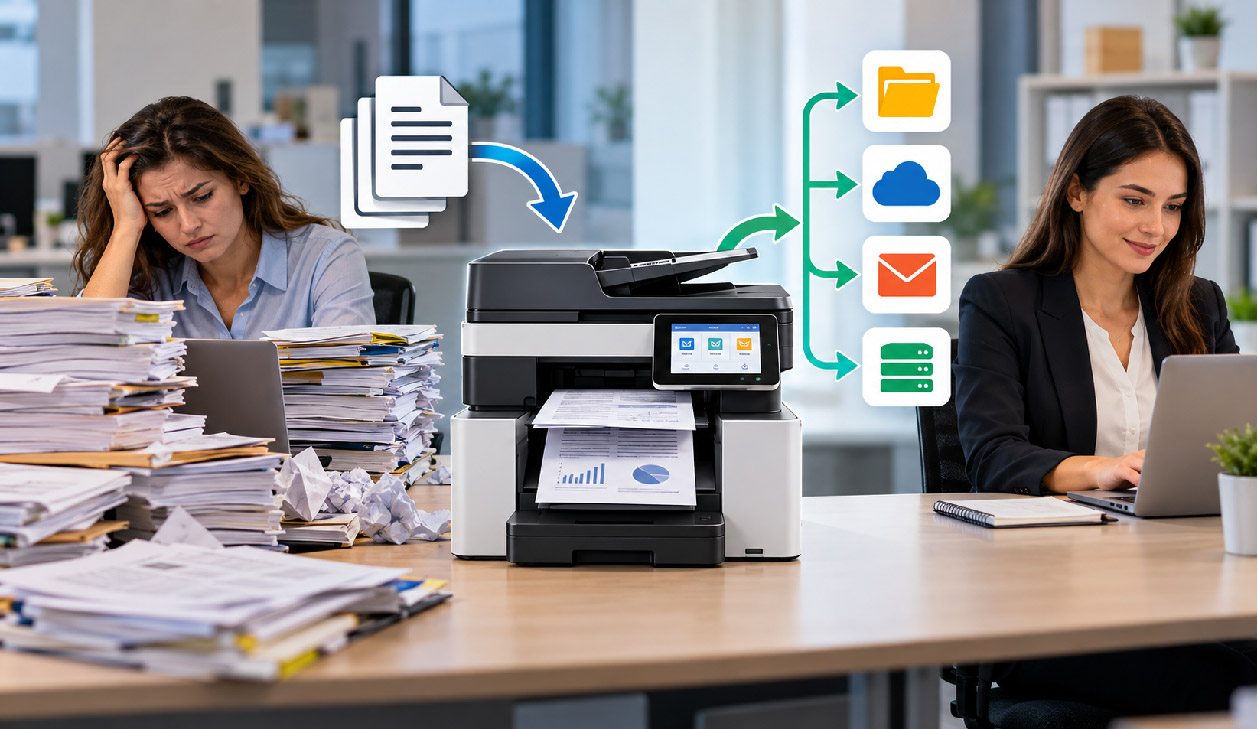
Almost all obvious waste in document handling in offices has been cut long ago, the print fleet has been consolidated into a manageable number of devices, print quotas are in place and someone has been allocated to manage the toner budget for the fleet.
The more important question to ask is how many times documents in your organisation are being touched and how many of those touches can be removed with a properly configured device.
Finding where the minutes actually disappear
Reprints, This is one of the most obvious forms of administrative time waste. Most managed print platforms are able to report reprints by user, usually with a short time frame between the two prints. The re-printing of a job is usually an indication of a problem with a print job held in a queue on a printer left by a user, or a problem with a printer driver that has produced the wrong print format.
Another area of workflow inefficiency is the scan-and-rename cycle. In this case staff members scan documents and then open the email attachment. They save a local copy of the file, rename the file, and then upload the file to the correct location in the document management system. Four actions are required to complete one task, and as with the previous example, lots of opportunities for mistakes occur.
A short audit that produces useful numbers
- Count reprints per user per month and identify the three devices where they cluster.
- Track how many scanned documents arrive in the DMS through email rather than a direct connector.
- Time a full approval cycle for one routine form, from creation to filing, including waiting time.
- Note how many folders in shared storage contain files named with device defaults such as scan0001.
Specifying equipment against tasks, not page volumes
This also often focuses on low cost per page and high monthly duty cycles but totally overlooks the amazing benefits for administrative tasks. So a printer which prints fast but doesn’t do a good job with scanning does nothing to cut administrative tasks.
We look for single-pass duplex document feeders as well as OCR scanners that produce searchable PDFs out of the box. If you are replacing a unit, it is worth shortlisting an office printer that treats scanning as a first-class function rather than an afterthought. Additionally, it’s very important to have device connectors for document management systems as well as storage systems and custom buttons for frequently used workflows on the device’s panel.
Questions to put to a supplier before signing
- Which storage and finance platforms have native connectors, and are they included or licensed separately?
- Can scan profiles be pushed to every device centrally, or must each be configured at the panel?
- Does OCR run on the device, or does it depend on a server that becomes a single point of failure?
- How are secure release credentials handled if the network drops?
Comparing handling routes for common documents
| Document task | Typical manual route | Configured workflow | Check before switching |
| Supplier invoices | Scan to email, save, rename, upload to finance folder | Panel button scans to the finance inbox with OCR and index fields | Accuracy of field capture on low-quality originals |
| Signed contracts | Print, sign, scan, email to several parties | Electronic signature, with print only where a wet signature is required | Which counterparties still refuse digital execution |
| Onboarding packs | Print from multiple sources, collate by hand | Single stored job with finishing applied at the device | Version control on the stored template |
| Confidential reports | Print, collect later, sometimes reprint | Secure release held until badge or PIN entry | Queue expiry settings and user tolerance for the extra step |
Naming and routing rules that hold up over time
Automation falls over quickly if filing has been left to individuals. Establish a naming convention for documents prior to setting up a scan and agree to keep it short. Ensure this is incorporated into the scan profile. Date in a sortable format as the first part of the name followed by document type and then reference number is typically sufficient.
Governance that does not create new admin
Ask one person to be the administrator for a workflow (or group). They can approve any changes to the scanning profile and then review any exceptions to the process each quarter. Retention rules can also be added at the point of capture to ensure that documents are stored in locations where the disposal of documents of that age will be in accordance with the correct policy.
Sequencing the rollout so it sticks
Start with the highest volume of repetitive actions in one department, set up one button on one device to perform the task, and leave the old way of doing things for two weeks. Then you can see if it was better or just different. Extend the profile to the rest of the devices in the organisation thereafter.
Training staff on the workflows supported by your print devices is far more important than explaining the ins and outs of the various scanning engines that are available. Staff simply need to know how to print and what button to press to send a document. Once they know this, the administrative time can stop leaking from the document’s creation and start leaking once it hits the document storage location.
You May Also Read: How to Design Sports Card Packaging Boxes for Protection, Presentation, and Collectors
